Review the creative choices before they move forward.
05 · FinishReview, then export
Check a low-resolution draft before a final deliverable.
This is the product vision, not a list of features available on this website.
Inside the local demo
The working app, up close.
Real screenshots of Core+ running locally on a MacBook during demo sessions in October. The app is not available on this website.
Local MacBook demo Historical captures from 21 and 27 October, using test footage and AI mock mode.
01Overview · captured 27 Oct
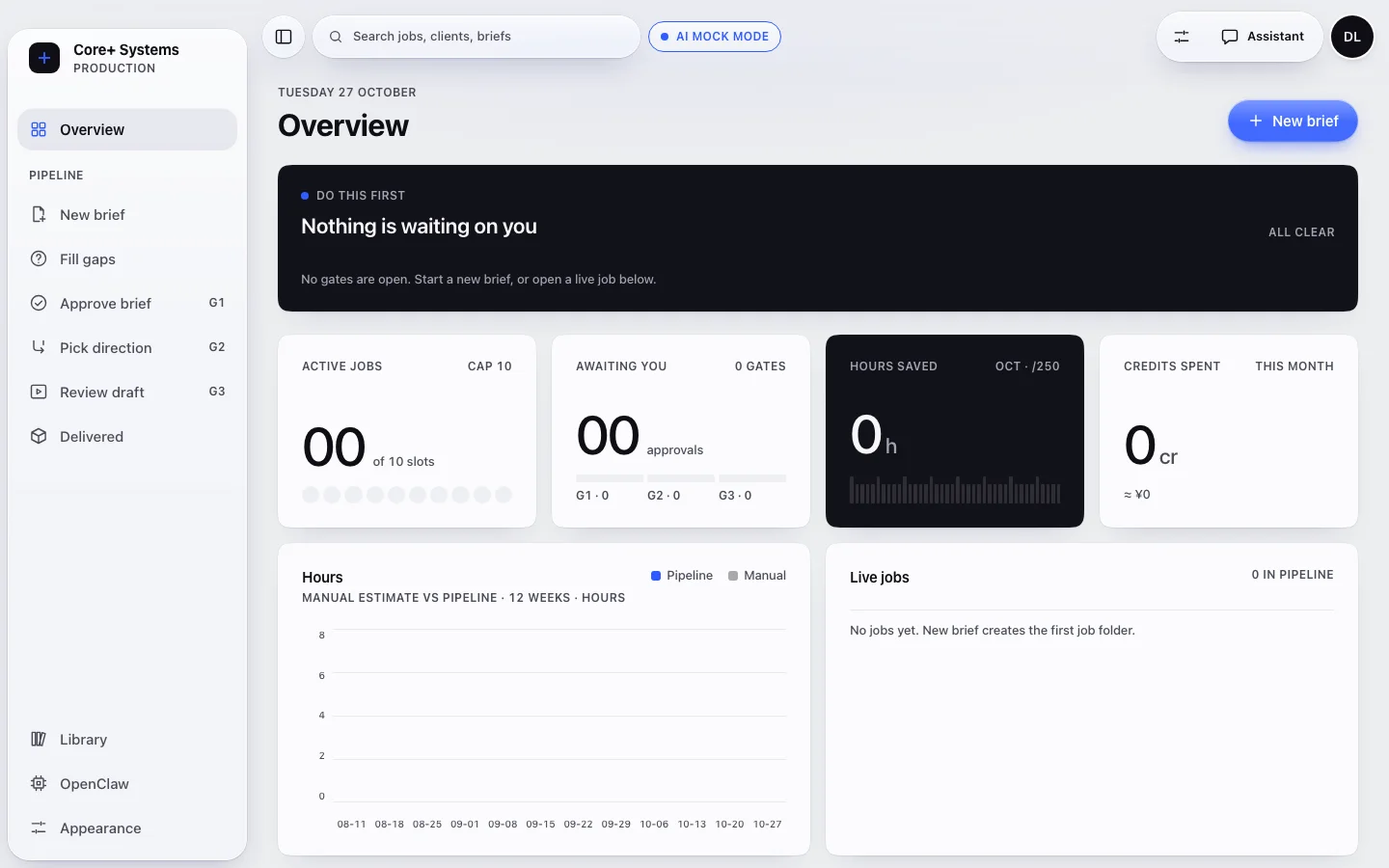
Every job, every gate, in one place.
The Overview is the job board. Each brief moves through a pipeline with three approval gates: approve the brief (G1), pick a direction (G2) and review the draft (G3). Nothing moves past a gate until you approve it.
Keep in mindCaptured in AI mock mode with no live jobs, so every counter reads zero. These are not production results.
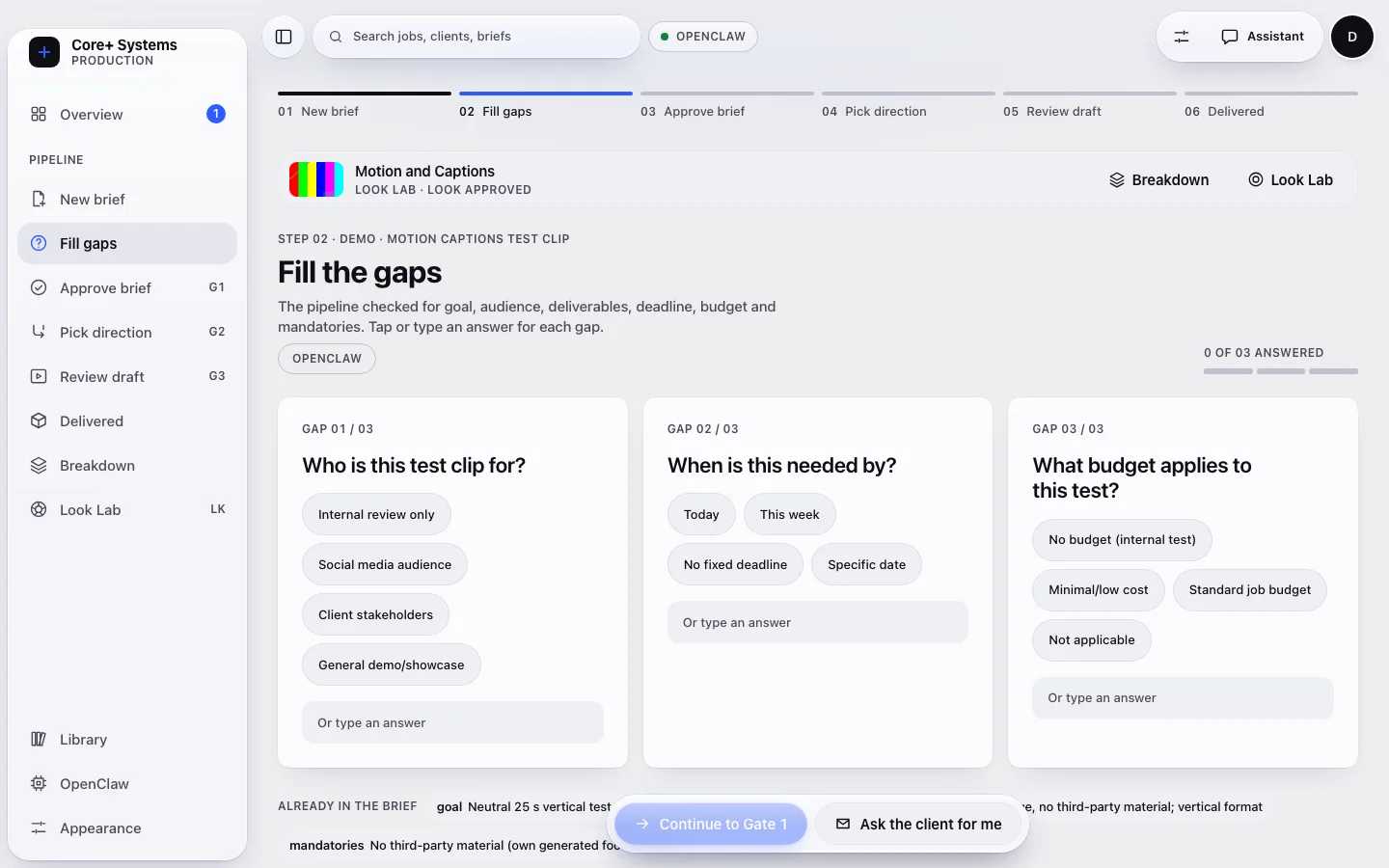
Before a brief can be approved, Core+ checks it for goal, audience, deliverables, deadline, budget and mandatories, then asks only about what is missing. Tap an answer or type your own.
Keep in mindThis is intake, not production. Answering the gaps completes the brief; it does not make a video. Shown on a neutral test clip in the Motion & Captions demo.
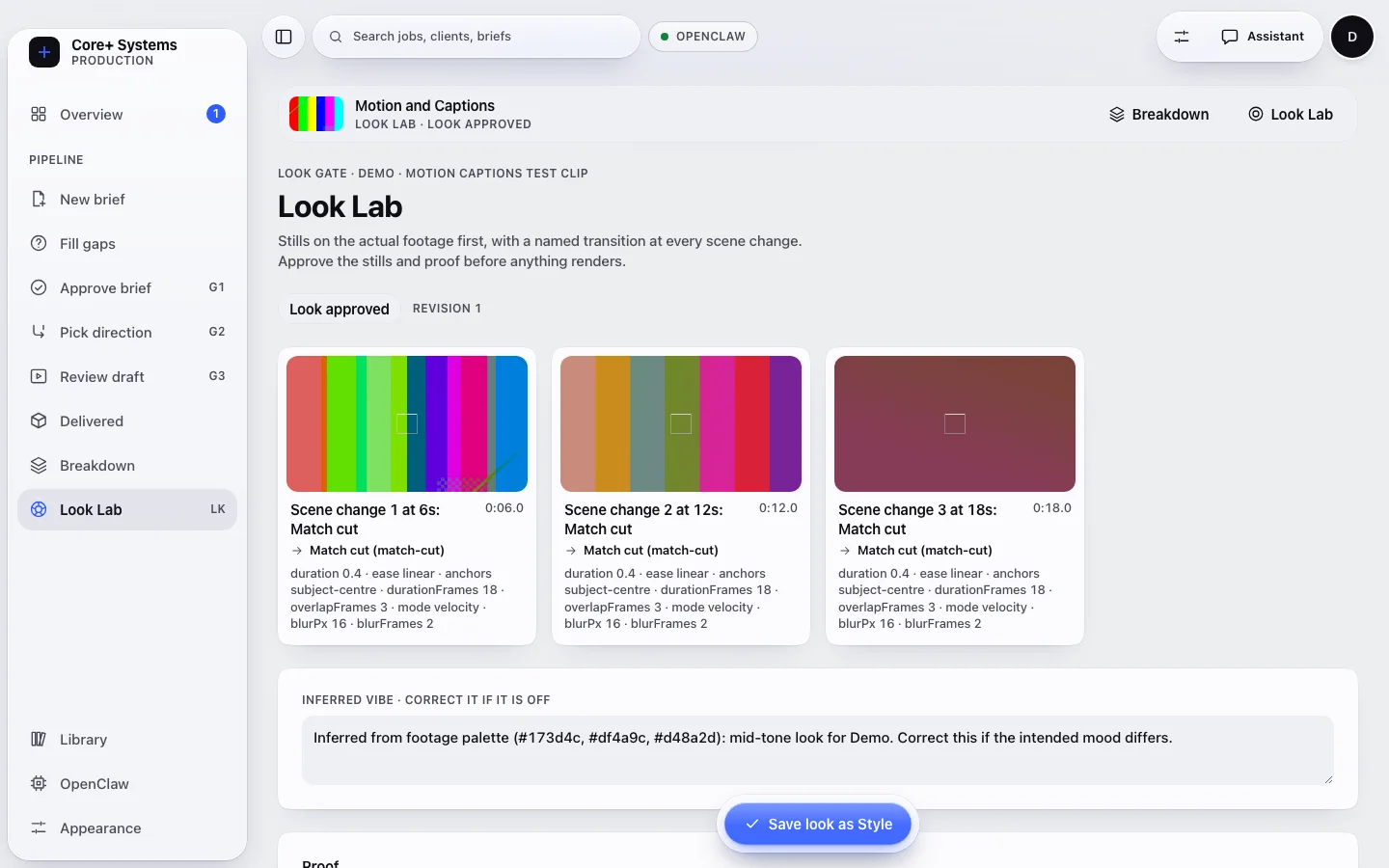
Look Lab shows stills from the actual footage at each scene change, with a named transition and its settings, plus an inferred mood you can correct. You approve the stills and a proof first.
Keep in mindCore+ does not render the final cut itself. Rendering happens outside the app, and a rendered draft is attached afterwards for review. The footage here is test bars.
Screenshots are historical local demo captures with no client material. The OpenClaw label visible in them comes from an earlier integration and does not describe the current runtime.
Status
What exists today?
Core+ is a personal internship project. The AI-powered app runs locally for a guided MacBook demo, not from this public page.
On this website
Outline exercise
Works in your browser with fixed rules. No AI, server, upload or account.
Local MacBook demo
Motion & Captions / Client Edit
Local workflows help plan and review work. Core+ does not render final cuts itself yet; a rendered draft is attached for quality checks.
Planned
Content Developer
A creator-led path from an idea through direction, script and production. Not available on this site or as a finished product.